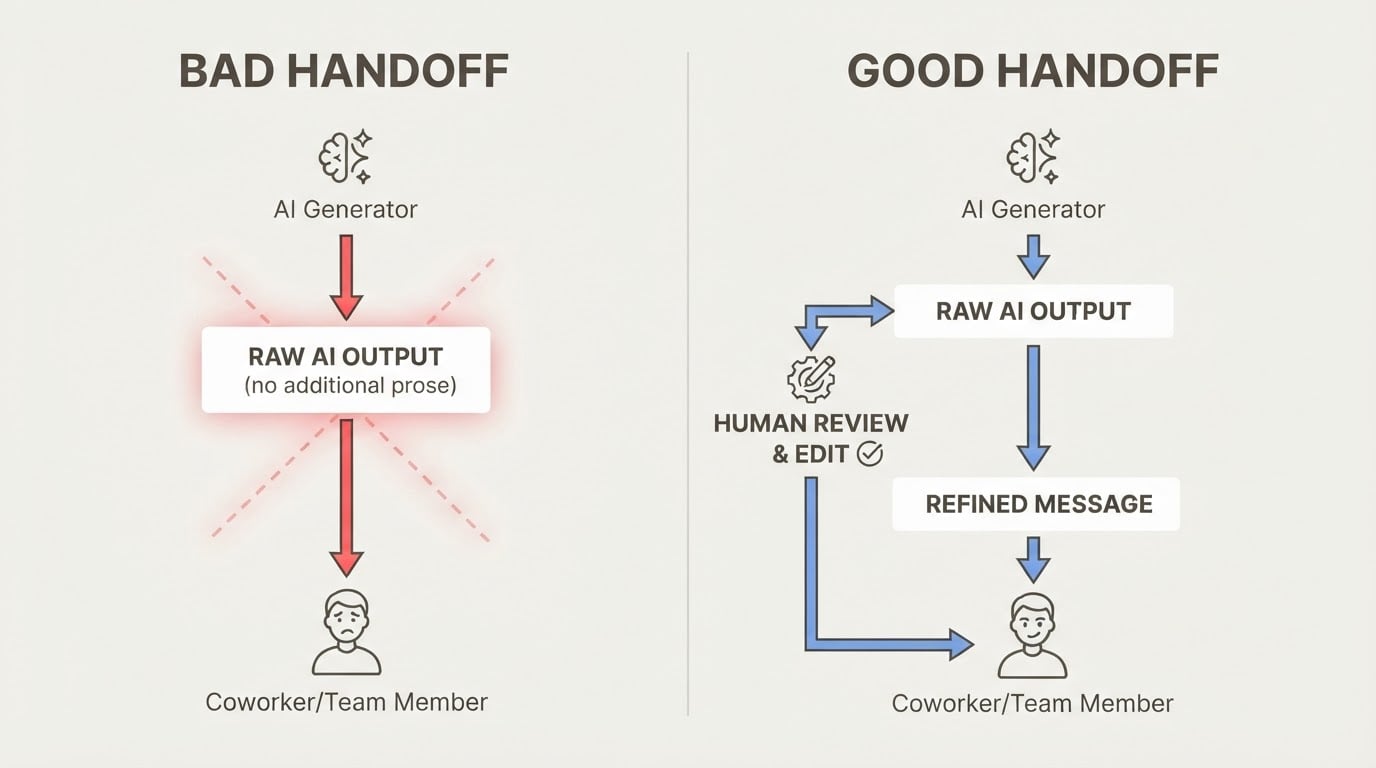
Your AI agent just finished a complex task. It understood your project, remembered your preferences, and delivered exactly what you needed. Then you close the session.
Next time you open it, the agent has no idea who you are.
This is the AI amnesia problem — and it's the reason most production agents fail not on benchmarks, but in real use. The fix isn't a bigger context window. It's a proper agent memory framework: the layered architecture that governs what an AI agent stores, retrieves, and applies across sessions.
The human brain solves this with multiple overlapping memory systems. AI agents need the same approach. This article breaks down the four agent memory types, how retrieval works in practice, and a decision framework for choosing the right architecture.
What Is an Agent Memory Framework?
An agent memory framework is the set of mechanisms that govern what an AI agent remembers, how it stores that information, and when it retrieves it — beyond the current conversation.
The key distinction is between the context window and persistent memory:
- Context window: the agent's active working space. Everything the agent can "see" right now. It's finite, session-bound, and disappears when the conversation ends. - Persistent memory: information that survives across sessions. The agent can recall it in future conversations, even days or weeks later.
Without persistent memory, every conversation starts from zero. The agent doesn't know your name, your project history, your preferences, or what you discussed last week. That's fine for a calculator. It's not fine for an assistant you rely on daily.
The difference becomes obvious the moment you try to use an agent for real work. You spend 10 minutes re-explaining your project setup. You paste in the same context you pasted last week. You correct the same misunderstandings. That friction is the cost of no memory.
The Four Types in an Agent Memory Framework
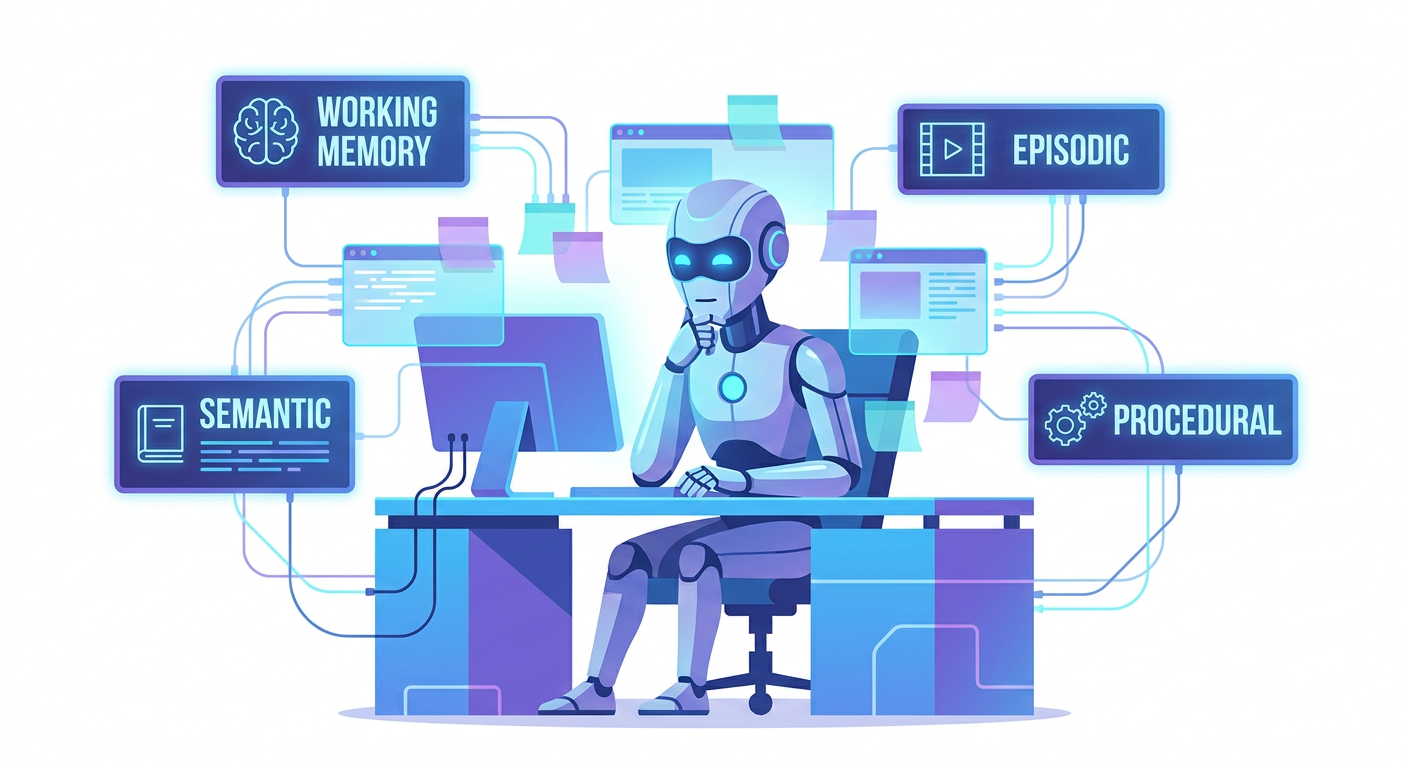
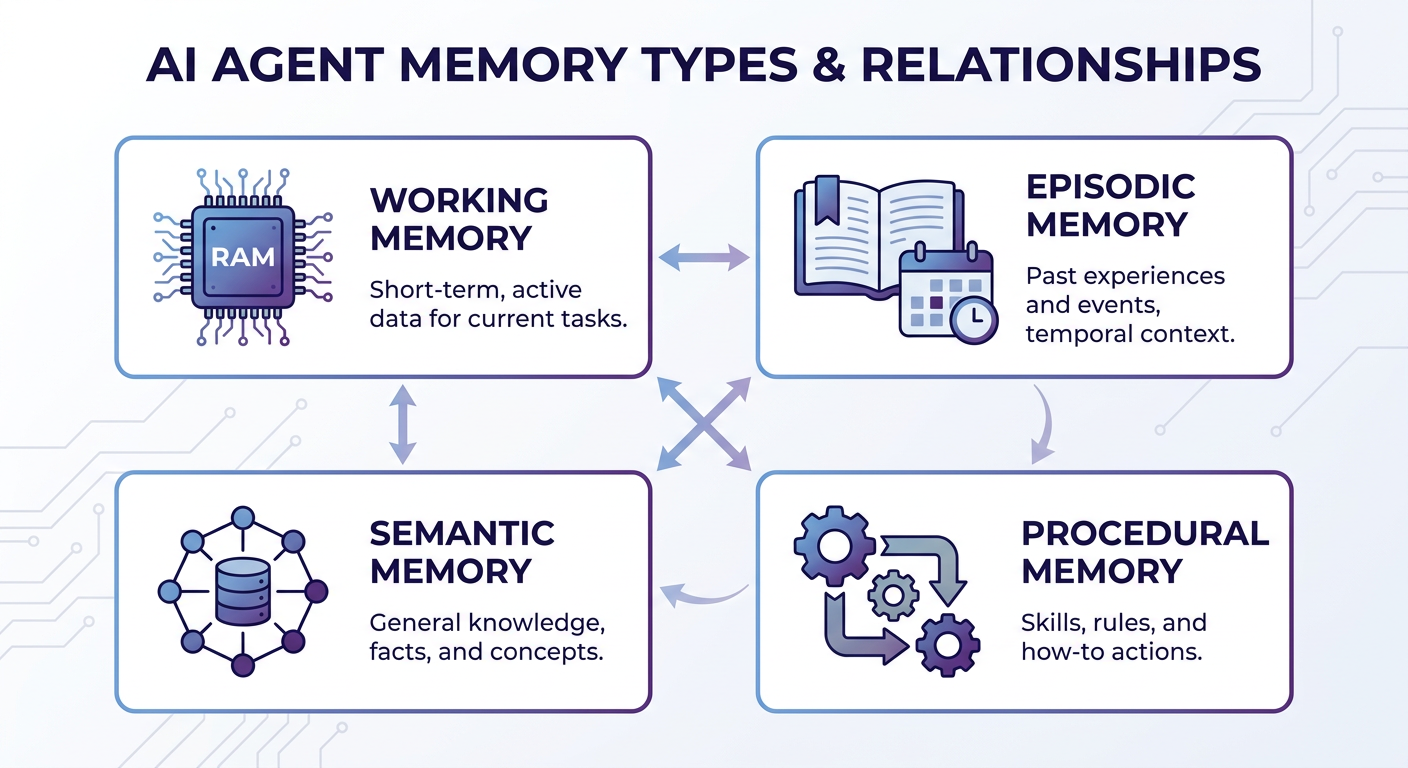
Human memory isn't a single system — it's a collection of specialized systems that handle different kinds of information. An agent memory framework works the same way. The field has converged on four agent memory types that map directly to cognitive science.
| Memory Type | Brain Analogy | Time Horizon | Typical Implementation | |-------------|--------------|--------------|----------------------| | Working | RAM | Current session | Context window | | Episodic | Diary | Past events | Timestamped logs, DB | | Semantic | Long-term facts | Persistent | Vector DB, key-value store | | Procedural | Muscle memory | Behavioral | System prompts, fine-tuning |
Working Memory (Short-Term)
What it is: The agent's active context — everything currently loaded into the conversation. This is the context window itself.
Brain analogy: RAM. Your working memory holds what you're thinking about right now. It's fast, immediately accessible, and limited in size. When you stop thinking about something, it fades.
In practice: Working memory is what most people mean when they say "the agent knows what we discussed." It's the conversation history in the current session. Once the session ends, it's gone.
Limitation: Context windows are finite. A long-running agent accumulates thousands of tokens of history, most of which become irrelevant noise. Stuffing everything into the context window is not a memory strategy — it's a workaround that degrades performance as the window fills.
Episodic Memory (What Happened)
What it is: Records of specific past events, interactions, and decisions — indexed by time and context.
Brain analogy: Your diary or autobiographical memory. "What did I do last Tuesday?" "What did we decide in that meeting three weeks ago?" Episodic memory is the record of what happened, not just what is true.
In practice: Timestamped conversation logs, decision records, interaction histories stored in a database. When the agent needs to recall a past event, it retrieves the relevant episode rather than replaying the entire history.
Why it matters: Without episodic memory, the agent can't learn from past interactions. It can't remember that a particular approach failed last time, or that you prefer a specific format, or that a client changed their requirements in the last session.
Semantic Memory (What You Know)
What it is: General facts, user preferences, domain knowledge, and learned truths that persist independently of any specific event.
Brain analogy: Long-term factual knowledge. You know that Paris is the capital of France — not because you remember learning it, but because it's just true in your mental model. Semantic memory stores durable facts, not event records.
In practice: User preference stores, knowledge bases, vector databases with embedded facts. "This user prefers Python over JavaScript." "This project uses a microservices architecture." "The client has a fixed budget ceiling." These facts persist across sessions and get retrieved when relevant.
Why it matters: Semantic memory is what makes an agent feel like it knows you. It's the difference between an agent that asks your name every session and one that greets you by name and picks up where you left off.
Procedural Memory (How to Do Things)
What it is: Learned skills, workflows, tool-use patterns, and behavioral tendencies that shape how the agent acts.
Brain analogy: Muscle memory. You don't consciously think about how to type or ride a bike — the procedure is encoded in your motor system. Procedural memory is implicit, not explicit.
In practice: System prompts that encode preferred workflows, fine-tuned model weights that reflect learned behaviors, tool definitions that shape how the agent interacts with external systems. When you configure an agent to always format code in a specific style, that's procedural memory.
Why it matters: Procedural memory is the hardest to implement but the most powerful. An agent with good procedural memory doesn't just remember facts — it develops consistent, reliable behaviors that improve over time.
Why the Agent Memory Framework Breaks in Production
Understanding the four types is one thing. Knowing why they fail in real deployments is another.
Context window overflow: Agents that rely solely on working memory hit the context limit and start losing earlier parts of the conversation. The agent "forgets" what was discussed at the start of a long session — not because memory failed, but because there was no memory system to begin with.
Cross-project contamination: When multiple projects share the same memory store, context bleeds between them. A developer working on three client codebases finds the agent mixing up requirements, pricing, and architecture decisions from different projects. This is a scoping failure, not a retrieval failure.
No persistence between sessions: The most common failure. The agent performs brilliantly in session, then resets completely. Users have to re-explain their context every time they open a new conversation.
"Before MemClaw, OpenClaw forgot what I had already quoted. Now the whole trail is there." — Sales professional using OpenClaw for client work
Retrieval noise: Vector search retrieves semantically similar memories, but "similar" isn't always "relevant." An agent asked about a current project might surface memories from a vaguely related past project, introducing confusion rather than context.
"The web view revealed OpenClaw had been remembering far more than I expected." — Power user auditing stored memory
How to Implement an Agent Memory Framework
Building AI agent memory is a layered problem. Each layer handles a different time horizon and retrieval pattern.
Layer 1 — Working memory management: Don't just stuff everything into the context window. Implement summarization (compress old conversation turns into summaries) and pruning (drop irrelevant history). Keep the context window focused on what's immediately relevant.
Layer 2 — Session memory: Use a fast store like Redis to persist recent conversation history within and across short sessions. This bridges the gap between working memory and long-term storage without the overhead of a full vector database.
Layer 3 — Long-term semantic memory: Use a vector database (Pinecone, Chroma, Weaviate) or a structured key-value store for persistent facts and preferences. Embed user preferences, project facts, and domain knowledge so the agent can retrieve them semantically.
Layer 4 — Project-scoped isolation: This is the layer most teams skip — and the one that causes the most production failures. Memory needs to be namespaced per project or client. Without isolation, context from one workstream contaminates another.
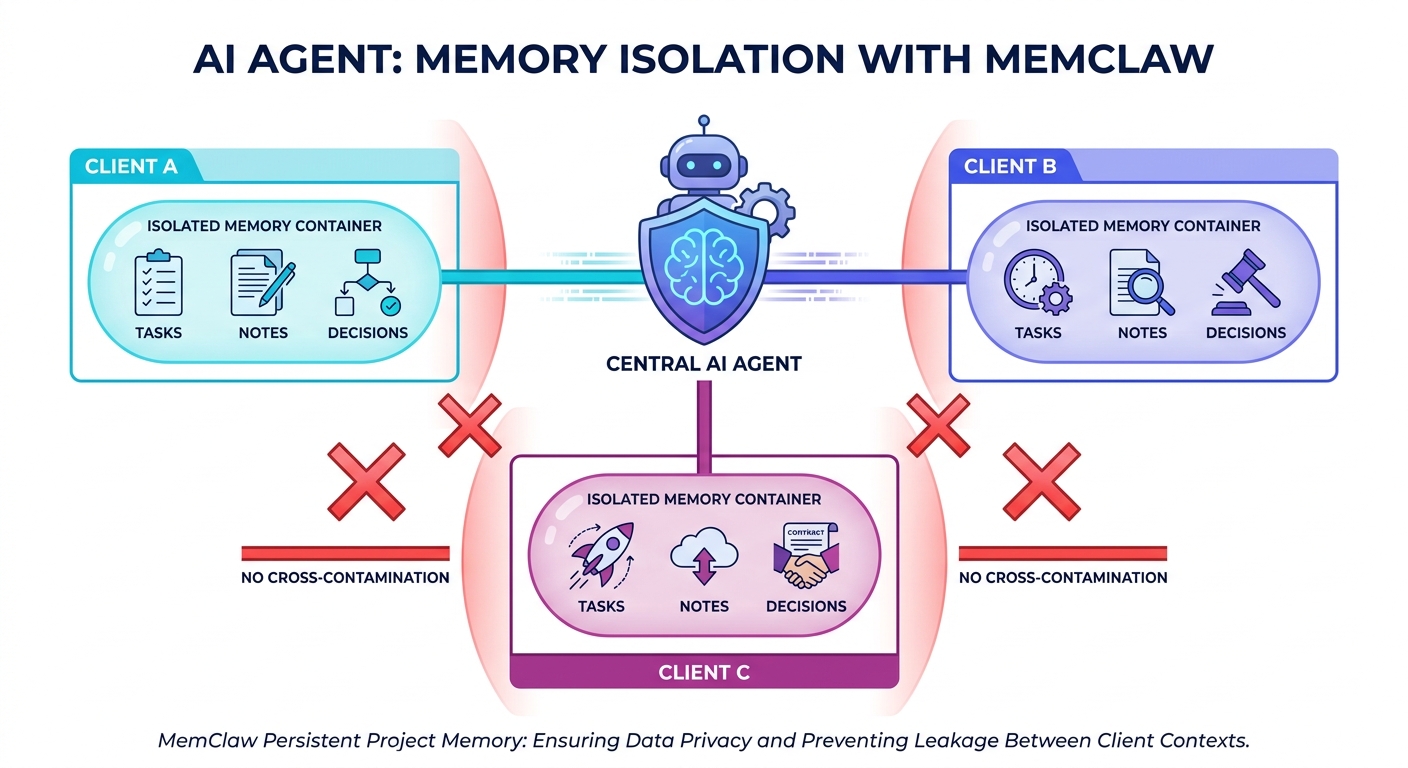
For OpenClaw users, MemClaw provides project-scoped persistent memory as a ready-made solution — isolating memory per project so context from one client never bleeds into another. According to the official documentation, setup completes in under 5 minutes with a single install command.
"I used to think OpenClaw was just a chat tool. MemClaw made it feel like an actual working system." — Multi-project developer
Frequently Asked Questions About AI Agent Memory
What is the difference between AI agent memory and a context window?
The context window is the agent's active working space — everything it can "see" in the current conversation. It's session-bound and disappears when the conversation ends. AI agent memory is a broader term that includes any mechanism for storing and retrieving information across sessions, including episodic logs, semantic stores, and procedural encodings. A context window is one component of working memory; it is not a memory system on its own.
Do all AI agents have memory?
Most AI agents, by default, have only working memory — the context window. They have no persistence between sessions. Building episodic, semantic, or procedural memory requires explicit implementation: a database, a retrieval system, and logic to decide what to store and when to retrieve it. Out-of-the-box agents from most platforms are stateless unless memory is explicitly added.
What is the best way to add memory to an AI agent?
Start with the simplest layer that solves your problem. If you need to persist facts across sessions, a structured key-value store is often enough. If you need semantic retrieval ("find memories related to this topic"), add a vector database. If you need project isolation, implement namespaced memory stores. Avoid over-engineering: a Redis cache and a simple facts store solve 80% of real-world memory problems without the complexity of a full vector pipeline.
Building Agents That Actually Remember
The human brain doesn't rely on a single memory system — it uses working memory for immediate tasks, episodic memory for past events, semantic memory for durable facts, and procedural memory for learned skills. AI agents need the same layered approach.
The good news: you don't have to build all four layers at once. Start with persistence (Layer 2), add semantic retrieval when you need it (Layer 3), and implement project isolation before you scale to multiple clients or workstreams (Layer 4).
Agents that remember are agents that improve. The architecture is well-understood — the only question is how much of it you build.
If you're building on top of an AI coding agent and want project-scoped memory without the infrastructure overhead, explore the MemClaw blog for practical guides on persistent memory patterns.