AI Pair Programming Best Practices: How to Work With an AI Coding Partner
Pair programming with a human partner has well-established norms: one person drives, one navigates, you switch roles, you talk through decisions out loud. It works because both people share context and can catch each other's mistakes in real time.
AI pair programming is different in one critical way: the AI partner has no persistent memory. Every session, it starts fresh. It doesn't remember what you built yesterday, what you decided last week, or what patterns you've established over the past month.
That gap is the source of most AI pair programming frustration. This guide covers how to close it — and how to build a workflow that makes AI pair programming consistently productive.
The Core Difference: You're the Memory
In human pair programming, both partners share context. In AI pair programming, you're the only one who carries context between sessions.
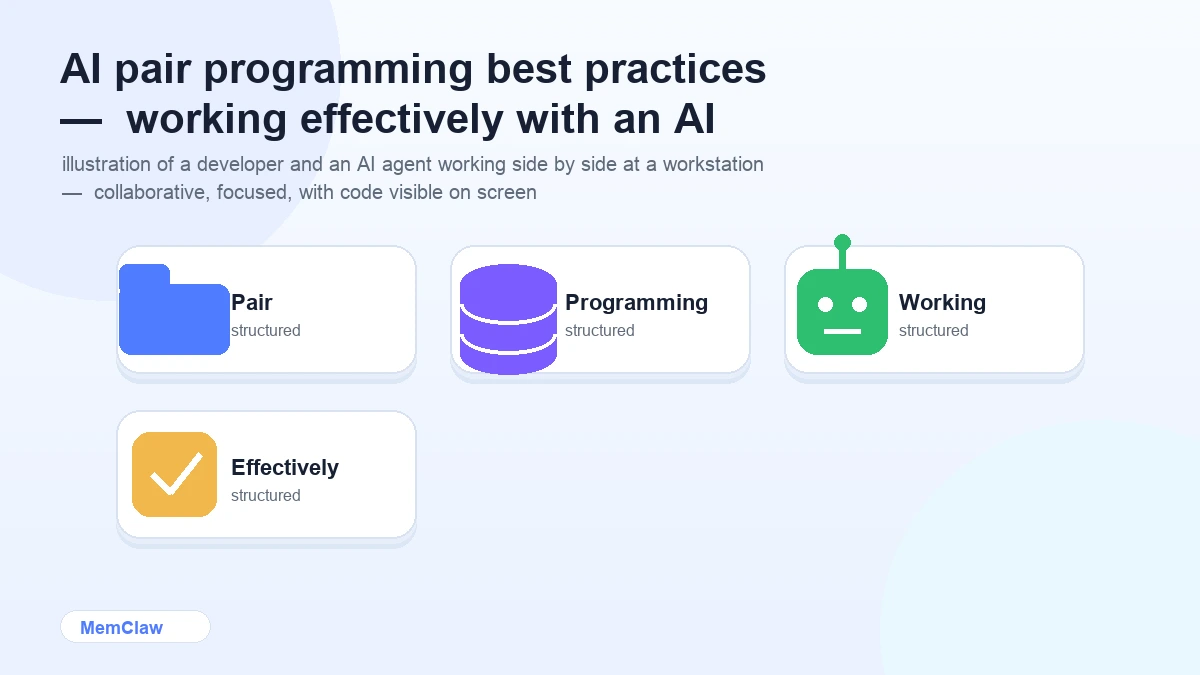
This means your job isn't just to write code — it's to maintain the shared context that makes the partnership work. The agent handles reasoning and generation. You handle memory and direction.
Once you internalize this division of responsibility, the workflow becomes clearer:
- Agent's job: reason, generate, review, suggest
- Your job: provide context, set direction, log decisions, maintain state
The habits in this guide are all about making your job easier — specifically, making context maintenance as automatic as possible.
Before You Start: Set Up the Shared Context
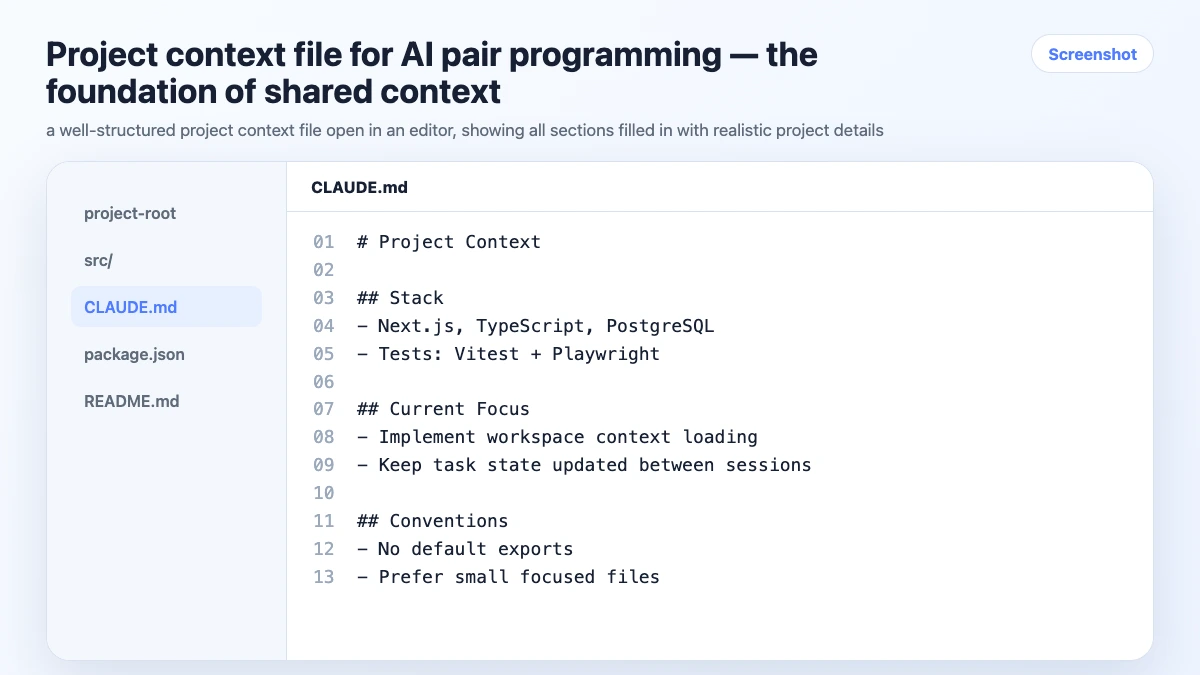
Before the first session on any project, spend 15 minutes writing a project context file. This is the foundation everything else builds on.
# Project: User Authentication Service

## What We're Building
JWT-based auth service for the main app. Handles signup, login,
password reset, and session management.

## Stack
Node.js 18, Express, TypeScript, PostgreSQL, Redis (sessions)
Testing: Vitest + Supertest

## Architecture Decisions
- Stateless JWT for API auth, Redis for session invalidation
- Bcrypt for password hashing (cost factor 12)
- Refresh token rotation — single use, 30-day expiry
- No OAuth in v1 — email/password only

## Conventions
- No default exports
- All async functions use async/await
- Custom AppError class for all thrown errors
- Input validation with Zod at route level

## What We're NOT Doing
- No social login (v2)
- No 2FA (v2)
- No magic links (v2)
This file is your shared context. The agent reads it at the start of every session. You update it as the project evolves.
Session Structure: The Driver/Navigator Model
Human pair programming alternates between driver (writes code) and navigator (reviews, directs). AI pair programming works best with a similar structure — but the roles are more fluid.
You as Navigator, Agent as Driver
Give the agent a clear task with full context, then review what it produces:
We're implementing the refresh token rotation logic.
Requirements:
- On use, invalidate the old token and issue a new one atomically
- Store tokens in Redis with TTL matching expiry
- If a token is used twice (replay attack), invalidate all tokens for that user
- Use the existing RedisClient from src/lib/redis.ts

Write the refreshToken function in src/services/auth.ts.
Review the output. Catch issues. Redirect if needed.
You as Driver, Agent as Navigator
Write the code yourself, use the agent to review:
I've written the token rotation logic. Review it for:
1. Race conditions in the atomic invalidation
2. Redis key naming consistency with the rest of the codebase
3. Edge cases I might have missed
4. Any security issues with the replay attack detection
Switching between these modes keeps the session dynamic and catches more issues than either approach alone.
The Decision Log: Your Most Important Habit
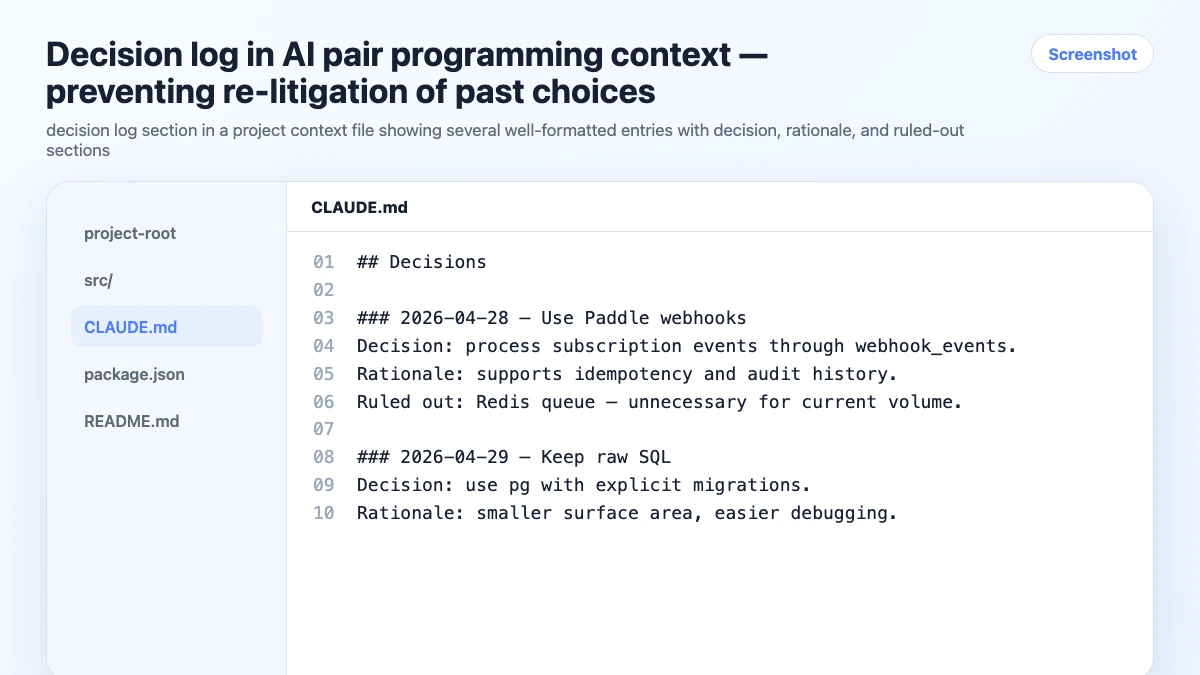
Every significant decision made during a session needs to be logged before you close it. This is the habit that separates AI pair programming that works from AI pair programming that degrades over time.
What to log:
- Architecture choices and why
- Libraries chosen (and alternatives rejected)
- Patterns established for this project
- Things explicitly ruled out
- Scope decisions (what's in v1, what's deferred)
How to log it:
Log this decision:
Chose Redis for session storage over database sessions.
Rationale: lower latency for token validation, easier TTL management.
Ruled out: database sessions (too slow for high-frequency validation),
in-memory (doesn't work across multiple instances).
With a CLAUDE.md, the agent updates the file. With a MemClaw workspace, it's logged automatically.
The payoff: in week 6, when you're tempted to switch to database sessions because Redis feels like overhead, the decision log reminds you why you made the choice — and what the trade-offs were.
Handling Disagreements With the Agent
The agent will sometimes suggest approaches you disagree with. How you handle this matters.
Don't just override silently. If you reject the agent's suggestion, say why:
I'm not going with that approach because it introduces a race condition
between token validation and invalidation. Instead, let's use a Redis
transaction (MULTI/EXEC) to make it atomic. Rewrite using that approach.
This does two things: it keeps the agent's reasoning aligned with yours, and it creates a record of why you made the choice — useful when you revisit it later.
When the agent is right and you're wrong: it happens. The agent catches edge cases, security issues, and performance problems that are easy to miss. When it flags something, take it seriously before dismissing it.
Managing Context Over a Long Project
For projects running more than a few weeks, context maintenance becomes the main challenge. A few practices that help:
Weekly context review (10 minutes):
- Is the project brief still accurate?
- Are there decisions that got made in Slack or meetings but not logged?
- Is the task state current?
- Any constraints that have changed?
Milestone archiving: At the end of each sprint or milestone, archive completed work:
Move all completed tasks to an "Archived — Sprint 1" section.
Write a 3-sentence milestone summary: what was built, what changed from the plan,
what we learned. Save it as an artifact.
This keeps the active context lean while preserving history.
Persistent workspaces for automatic maintenance:
For projects running more than a month, manual context file maintenance becomes the bottleneck. MemClaw workspaces automate the update layer — decisions logged, task state updated, artifacts stored — without you maintaining it manually.
export FELO_API_KEY="your-api-key-here"
/plugin marketplace add Felo-Inc/memclaw
/plugin install memclaw@memclaw
Create a workspace called "auth-service"
Open the auth-service workspace
The agent reads the workspace, works, and updates it automatically. You review; you don't maintain from scratch.
! MemClaw persistent workspace for long-running AI pair programming projects
Try it: Get started at memclaw.me →
Code Review as a Core Practice
AI pair programming produces code faster than solo development. It also produces bugs faster. Code review isn't optional — it's how you catch what the agent misses.
Review every non-trivial output before committing. The agent is good at generating plausible-looking code that has subtle issues. A 5-minute review catches most of them.
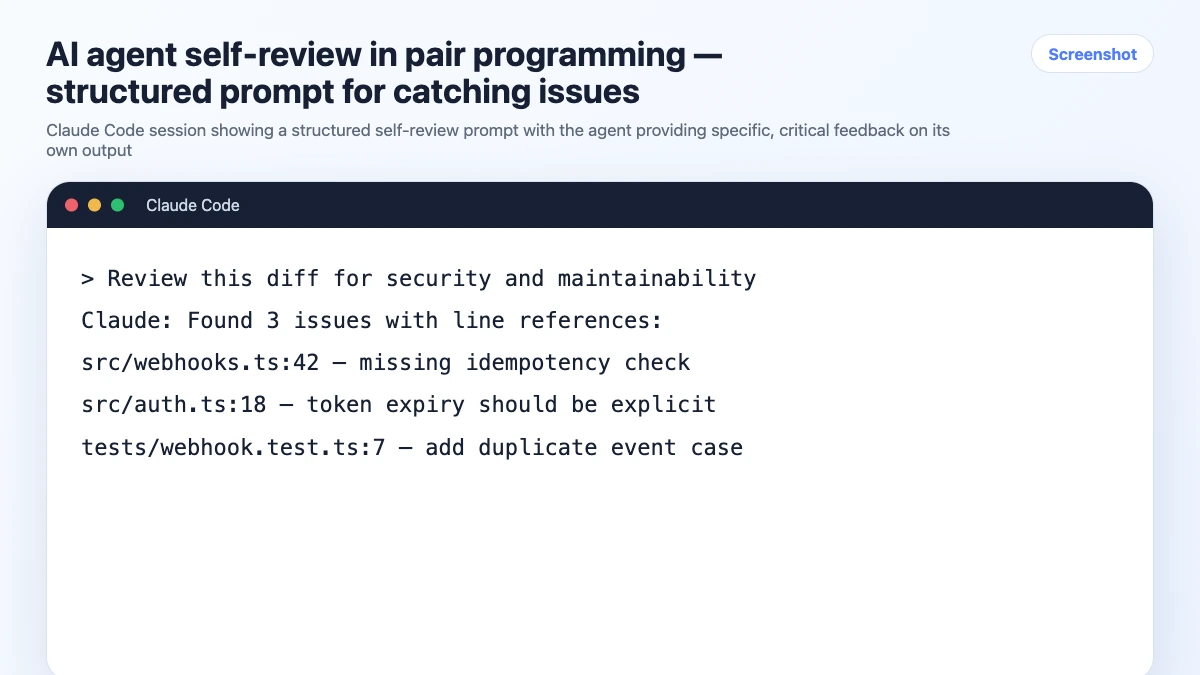
Use the agent to review its own output — with specific prompts:
Review the code you just wrote for:
1. Edge cases with empty or null inputs
2. Error handling — what happens if Redis is unavailable?
3. Security — any injection risks or auth bypass possibilities?
4. Performance — any N+1 queries or unnecessary round trips?

Be specific about line numbers. Flag anything that would fail in production.
Review security-sensitive code yourself. Auth, payments, data access — don't rely solely on the agent for security review. Use it as a first pass, then review manually.
Testing as You Go
The best time to write tests is immediately after writing the implementation — while the context is fresh. In AI pair programming, this is easy:
Write Vitest unit tests for the refreshToken function we just implemented.
Cover:
- Happy path: valid token, successful rotation
- Expired token: should return 401
- Already-used token (replay): should invalidate all user tokens and return 401
- Redis unavailable: should fail gracefully with 503
- Concurrent requests with same token: only one should succeed
Getting tests alongside implementation catches edge cases early and gives you a safety net for refactoring later.
Frequently Asked Questions
How is AI pair programming different from just using GitHub Copilot?
Copilot is autocomplete — it suggests the next line or block based on what you're typing. AI pair programming with Claude Code or similar tools is conversational — you describe what you want, discuss trade-offs, review output, and iterate. The interaction model is fundamentally different.
Should I always be in "navigator" mode, or sometimes drive myself?
Both. Use the agent as driver for well-defined tasks where you can review the output. Drive yourself for complex logic where you need to think through the implementation — then use the agent to review. Switching modes keeps the session productive and catches more issues.
How do I handle it when the agent produces code I don't fully understand?
Ask it to explain before you accept it:
Before I accept this, explain what the MULTI/EXEC block is doing
and why it prevents the race condition.
Don't commit code you don't understand. The agent's explanation either confirms the approach or reveals a misunderstanding — both are useful.
What's the right session length for AI pair programming?
Shorter sessions with clear goals tend to produce better output than long, open-ended ones. Context window quality degrades over very long sessions. Aim for focused 1-2 hour sessions with a specific goal, rather than all-day sessions that drift.
The Short Version
AI pair programming works when you treat it as a genuine partnership: the agent handles reasoning and generation, you handle memory and direction. The habits that make it work:
- Set up shared context before the first session
- Log decisions as you make them
- Review every non-trivial output before committing
- End sessions with a status update
- Review and prune context regularly on long projects
The agent is a powerful partner. Give it the context it needs to be useful, and it will be.
Working on a long project with AI? Set up persistent workspaces with MemClaw →