Why Your AI Agent Keeps Forgetting Context (And How to Fix It)

You open Claude Code on Monday morning. You type: "Continue working on the payment integration."
The agent has no idea what you're talking about.
It doesn't know which project. It doesn't know what was decided last week. It doesn't know that you already ruled out Stripe and went with Paddle instead. You spend the next 20 minutes re-explaining everything — again.
This is the AI context problem, and if you're running more than one project with an AI agent, you've hit it. Hard.
Why AI Agents Forget Everything Between Sessions
AI agents like Claude Code, OpenClaw, and ChatGPT are stateless by design. Each new session starts with a blank slate. The model itself has no persistent memory — it only knows what's in the current context window.
When you close a session, everything disappears:
- Decisions you made together
- Code patterns you established
- Client preferences you explained
- The reasoning behind architectural choices
The next session, you're starting from zero.
This isn't a bug. It's how large language models work. The context window is temporary working memory — powerful within a session, gone when it ends.
The Multi-Project Problem Makes It Worse
If you're only running one project, you can work around this by keeping a long system prompt or a notes file. Annoying, but manageable.
But if you're juggling three clients, two internal tools, and a side project? Now you have a different problem: context bleed.
You're working on Client A's dashboard, and the agent starts referencing Client B's database schema. You're debugging a React component, and the agent suggests a pattern you explicitly rejected two weeks ago — for a completely different project.
The agent isn't broken. It just has no way to know which project is which, what was decided where, or what's still in progress.
The Workarounds People Try (And Why They Fall Short)
Most developers hit this problem and reach for one of these solutions:
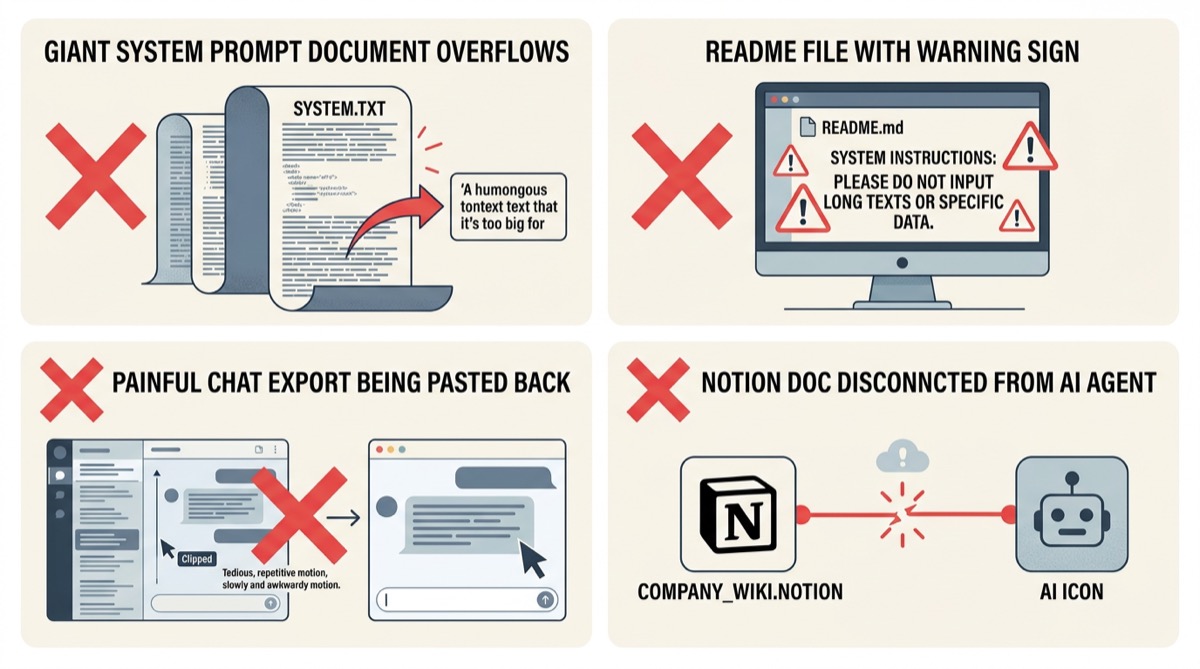
1. Giant system prompts You write a 2,000-word system prompt explaining your project, your preferences, your tech stack. It works — until you have five projects, each needing its own prompt. Now you're maintaining five documents and manually switching between them every session.
2. README files in the repo You keep a CONTEXT.md in each project. The agent reads it at the start of each session. Better than nothing, but you have to remember to tell the agent to read it, keep it updated manually, and it doesn't track tasks or decisions automatically.
3. Conversation exports Some people export their chat history and paste it back in. This is painful, hits context limits fast, and still doesn't solve the multi-project switching problem.
4. Notion or Obsidian docs You maintain a separate knowledge base. Now you're doing double work — updating your AI context docs AND doing the actual work. The agent still can't access it automatically.
None of these scale. They all require manual maintenance, and they all break down when you're moving fast across multiple projects.
What Persistent Project Workspaces Actually Solve
The root issue isn't that AI agents have bad memory. It's that there's no structured place for project context to live — somewhere the agent can read from and write to automatically, scoped to a specific project.
A persistent workspace solves this by giving each project its own isolated context store:
- One project = one workspace. Client A's context never touches Client B's.
- The agent reads it automatically at the start of each session — no manual prompting.
- It updates as you work — decisions, tasks, and artifacts get logged without you maintaining a separate doc.
- Context restoration in seconds, not 20-minute re-briefing sessions.
This is the difference between an agent that asks "what are we working on?" every Monday and one that opens the workspace and says "picking up where we left off — the payment integration, Paddle confirmed, still need to handle webhooks."
How MemClaw Implements This
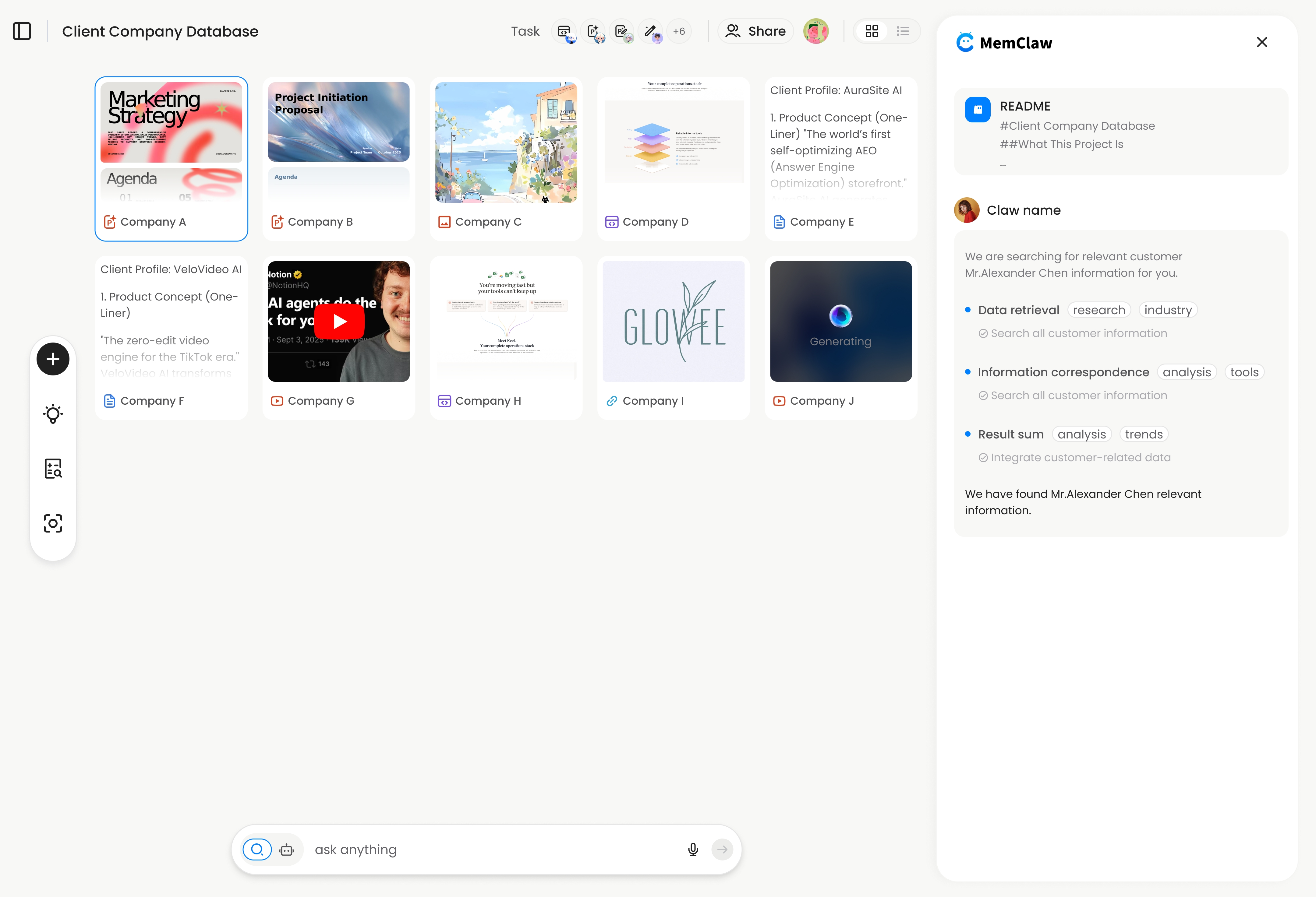
MemClaw is a persistent project workspace built specifically for AI agents. Each workspace contains:
- Living README — background, preferences, decisions, and progress that the agent reads at session start
- Artifacts — documents, reports, URLs, and files attached to the project
- Tasks — automatically tracked as the agent works, so nothing falls through the cracks
The agent restores full project context in about 8 seconds. You don't configure anything — you just tell the agent "open the [project name] workspace" and it handles the rest.
It works across agents too. If you use both Claude Code and OpenClaw, they share the same workspace. Switch tools mid-project without losing context.
> "Five projects running in parallel, and the agent has no idea which is which." — This is the exact problem MemClaw was built to eliminate.
Try it: Install MemClaw and create your first workspace in under 2 minutes — get started at memclaw.me .
Setting Up Your First Persistent Workspace
Getting started takes three steps:
Step 1: Set your API key
export FELO_API_KEY="your-api-key-here"
Get your key at felo.ai/settings/api-keys .
Step 2: Install MemClaw
For Claude Code:
/plugin marketplace add Felo-Inc/memclaw
/plugin install memclaw@memclaw
For OpenClaw:
bash <(curl -s https://raw.githubusercontent.com/Felo-Inc/memclaw/main/scripts/openclaw-install.sh)
Step 3: Create a workspace
Just tell your agent:
Create a workspace called "client-dashboard"
That's it. The agent creates the workspace, sets up the structure, and from that point on, opening the workspace at the start of each session gives it full project context automatically.
Frequently Asked Questions
Does this work with Claude Code and OpenClaw at the same time?
Yes. Both agents connect to the same workspace. If you start a task in Claude Code and continue in OpenClaw, the context carries over. The workspace is agent-agnostic.
What happens if I have 10 projects?
Each project gets its own workspace. When you start a session, you tell the agent which workspace to open. There's no limit on the number of workspaces, and they're completely isolated from each other — no context bleed.
Is this different from Claude's built-in memory features?
Claude's memory features store facts about you globally. MemClaw workspaces are project-scoped — they store context, decisions, tasks, and artifacts specific to one project. They're complementary, not competing.
Do I need to manually update the workspace?
No. The agent updates it as you work. You can also add things manually, but the core value is that it happens automatically in the background.
What if I'm not a developer?
MemClaw is built for anyone using AI agents across multiple projects — freelancers, product managers, sales professionals. You don't write code to use it. You just talk to your agent in natural language.
The Bottom Line
AI agents forgetting context isn't going away — it's a fundamental property of how these models work. The fix isn't a better model. It's a better system around the model.
Persistent project workspaces give each project its own isolated context store that the agent reads and writes automatically. No more re-briefing. No more context bleed. No more Monday morning "what are we working on?" conversations.
If you're running more than one project with an AI agent, this is the workflow change that makes everything else work better.
Ready to stop re-explaining your projects? Set up your first MemClaw workspace →